This whole saga didn’t start with a phone call.
It didn’t start with an email.
It didn’t even start at my house — which would’ve at least given me home-field advantage.
No.
This technological crime scene began at my girlfriend’s house… over breakfast… which is where peace, dignity, and personal boundaries go to die.
I was there doing what normal, well-adjusted adults do on a calm morning:
Sitting at the table.
Drinking coffee that was responsibly contained inside a mug.
Eating an egg bagel that was minding its own business.
Life was quiet.
Civilized.
Predictable.
The kind of morning where you foolishly start to believe nothing catastrophic is going to happen before noon.
And then — like an NPC spawning in the middle of a cutscene — a friend of hers walks into the kitchen.
You know that moment in a video game when the background music changes and you realize you’ve just triggered a side quest you absolutely did not accept?
Yeah.
That moment.
They look at me — mid-bite, egg bagel halfway to my mouth — and say the sentence that every tech person on Earth instinctively fears:
“You’re techie, right?”
Now I want to pause the story right here and explain something critical.
That sentence has never — not once in recorded human history — been followed by good news.
No one has ever said:
“You’re techie, right?”
“I just optimized my server rack and wanted your opinion.”
No.
It’s always delivered with the emotional tone of someone about to confess they reversed their car into a police station.
So I slowly lower the egg bagel… because at this point breakfast is officially over whether I like it or not… and I go:
“Yeah.”
And then it happens.
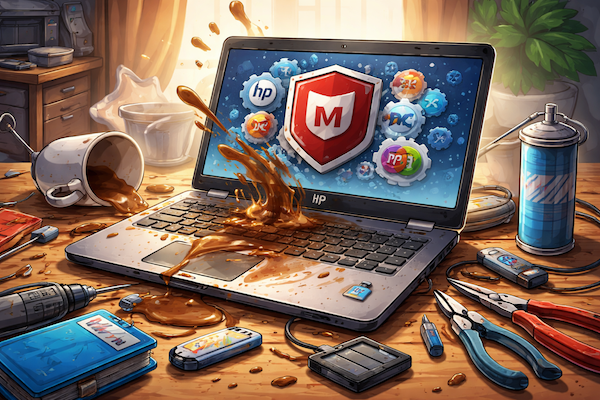
“I dumped coffee on my laptop. What do I do?”
And I swear to God I almost aspirated egg.
Because when someone says they spilled coffee on a laptop, my brain doesn’t picture a spill.
My brain immediately cuts to a full cinematic disaster sequence:
Slow-motion mug tip.
Coffee cascading through the keyboard like a caffeinated tsunami.
Motherboard sizzling like fajitas at Applebee’s.
Capacitors screaming as they ascend into the great silicon afterlife.
So my internal response — the one happening behind my eyeballs — was:
“Well… you’re fucked.”
Funeral music.
Tiny laptop casket.
Me standing there holding a USB drive like a grieving widow.
But my external response — the one appropriate for someone else’s kitchen — was:
“Bring it over. Let’s see what we can do.”
Fully assuming this was going to be a data recovery job… not a resurrection miracle.
Then came the follow-up detail that escalated things from bad to biblical:
“It’s an HP.”
And internally?
My soul left my body, hovered near the ceiling fan, and considered not coming back.
Because now we’ve got liquid damage and HP engineering in the same sentence.
That’s like saying your parachute is on fire… but also made of cardboard… and possibly assembled by unpaid interns.
So later that day, the laptop arrives.
I open the lid…
…and immediately get punched in the face by the smell of a Starbucks drive-thru.
Not subtle.
Not faint.
I mean aggressive cappuccino dominance.
If the BIOS splash screen had foam art, I wouldn’t have blinked.
If Cortana had greeted me with “Would you like room for cream?” I would’ve accepted my fate.
But I hit the power button anyway — because even when you’re expecting a corpse, you check for a pulse.
And the damn thing boots.
Right up.
No hesitation.
No sparks.
No smoke.
No tiny Italian barista ghost floating out of the vents whispering “Mama mia.”
Just Windows loading like it had never been caffeinated against its will.
I sat there staring at it like:
“Well I’ll be damned… the coffee made it faster.”
So now I’m suspicious.
Because if liquid death didn’t kill it, something else had to be wrong.
So I start digging.
Startup processes.
Background services.
System tray junk.
And then I saw it.
McAfee.
Of course it had McAfee.
Because nothing says “let’s make this computer feel like it’s dragging a refrigerator uphill through wet cement” like trial antivirus scanning every file, every process, and every thought your CPU has ever had since 2008.
I almost choked laughing.
Here I was preparing for catastrophic liquid damage…
…and the biggest threat to system performance was preinstalled software.
So step one was immediate digital exorcism:
Uninstall McAfee.
Kill background services.
Remove startup junk.
Scrub leftovers like I was bleaching a crime scene.
And before anyone reading this clutches their pearls and screams:
“BUT YOU REMOVED ANTIVIRUS!!!”
Relax.
I didn’t release the laptop back into the wild naked and defenseless like a Wi-Fi gazelle.
Windows Defender is already built in.
Already active.
Already doing its job.
And for most normal human beings — it is absolutely good enough.
Let’s be honest.
If you’re not:
• Downloading “Photoshop_Crack_2026_REAL_FINAL.exe”
• Clicking “YOU WON A FREE IPAD” pop-ups
• Trying to watch naked people on suspicious overseas streaming sites at 2 AM
…Windows Defender will keep you perfectly fine.
It’s quiet. It’s efficient. It doesn’t interrogate every file like it’s applying for TSA clearance.
McAfee, on the other hand, behaves like an overcaffeinated mall cop scanning your hard drive for emotional instability.
Now — here’s the part I didn’t fully do… but probably should have.
I didn’t go full scorched-earth on the HP software suite.
And if performance dips again, that’s exactly what I’m going to tell her to do next.
Because let’s be honest:
HP loads these machines up with an entire ecosystem of branded tools that nobody actually uses.
HP Support Assistant.
HP Health Tools.
HP Driver Managers.
HP Optimizers.
HP Tools to Manage the Other HP Tools.
It’s like a corporate nesting doll of uselessness.
None of it needs to be there.
Modern Windows already handles driver updates, system health, firmware alerts — all of it — without HP slapping their logo on top.
You need:
• A video driver
• An audio driver
• The operating system
Maybe a chipset or USB driver if Windows didn’t grab it automatically — but that’s about it.
Everything else is just HP branding trying to justify its existence.
Goddamn HP and their branded tools that nobody opens unless something is actively on fire.
So circling back to this caffeinated crime scene:
Customer thought the coffee killed the laptop.
I thought the coffee killed the laptop.
Turns out?
The coffee survived.
The laptop survived.
And the biggest performance killer… was McAfee.
Machine runs fine now.
Still smells like a cappuccino.
But fine.
And if it starts slowing down again?
Step two is removing every last piece of HP software that isn’t directly tied to hardware drivers — because none of that shit needs to be there.
So if there’s a moral to this story, it’s this:
If you spill coffee on your laptop — let it dry and pray.
If it boots?
Uninstall the antivirus first.
And then start asking yourself why your computer came preloaded with twelve programs you’ve never opened.
Because apparently…
Espresso is less dangerous than trialware.
Have something to say? We welcome your comments below — this is where the real conversation happens.
Each blog post is shared across our social transmitters, but those are just bigger antennas. The original source — and the signal we control — is right here on the blog. If you’re looking for other ways to stay updated on Rolling with Scissors, you’ll find our official transmitters linked below.
Spin the dial — we’re probably on it. Lock onto your frequency. Pick your favorite antenna below and ride the signal back to us.
Facebook • Instagram • Threads • Bluesky • X (Twitter)
0 Comments